Inventory Management
Know what is on the shelf. Know who took it. Bill the right department.
FP Trax gives every item a live quantity, every withdrawal a name and every department a consumption record. The stock room stops being a cost black hole.
Common issue: No one knows the exact stock level until something runs out. Costs are absorbed centrally because there is no record of which department consumed what. At audit time, the physical count does not match the register. Items go missing with no withdrawal record attached. The organisation keeps ordering more because it cannot see what it already has.
FP Trax shows every item's current quantity, updated the moment stock moves. Every withdrawal is logged against a person and a department. When levels drop below your threshold, an alert goes out before anything runs out. At month end, each department gets its own consumption report. The numbers on the shelf match the numbers in the system.
Track your assets - Try 30 days for free
Create account. → Download the mobile app. → Track of what is important to you.
Try 30 days, no credit card or strings attached.
How inventory management works with FP Trax
Import your existing stock register in bulk on day one. After that, the same four steps run continuously as stock moves in and out.
When a delivery arrives, scan or enter the items and FP Trax adds them to the live count. Quantity, supplier and date recorded automatically. The shelf matches the system from the first delivery.
When someone takes stock, they scan the bin and enter the quantity. FP Trax records who, how many and which department. The count updates immediately. No paper sheet. No memory required.
When any item drops to its reorder threshold, FP Trax sends an alert to whoever is responsible for procurement. Item, quantity and location included. You reorder before the shelf is empty, not after.
At any point, pull a consumption report filtered by department, item or time period. See exactly what each team used and what it cost. The basis for internal billing or budget planning is already in the system.
Where organisations use FP Trax inventory
A central supply room serving multiple faculties and departments. Chemicals, lab consumables, safety equipment and office materials all stored together. Every withdrawal logged against a named researcher and their department. At month end, each faculty receives its own consumption report for internal cost allocation.
Ships, service vehicles or field teams that draw materials from a central store before each deployment. FP Trax records what each unit took, when and how much. Fleet managers see consumption per vessel or vehicle over any time period and can plan resupply before shortages occur.
Spare parts, cleaning products and building materials held for a maintenance team. FP Trax tracks quantities by storage location and logs every withdrawal against a job or technician. No more ordering parts that are already on the shelf.
Consumable clinical materials, PPE and medical supplies distributed from a facility store to wards or clinics. Every withdrawal logged with time, person and destination. Full withdrawal history available for audit or compliance review at any time.
Raw materials, packaging and production consumables drawn from a central store to production lines or jobs. FP Trax tracks quantities in real time and alerts the procurement team before any line is disrupted by a stockout.
Cables, accessories, stationery and general consumables held in a shared storage room. Multiple departments withdraw from the same stock. FP Trax attributes each withdrawal to the right team and eliminates duplicate ordering across the organisation.
What FP Trax does from the moment a parcel arrives
- Live stock levels: Always see exact quantities.
- Logged withdrawals: Track who took what and when.
- Auto restock alerts: Get notified at reorder point.
- Dept cost allocation: Charge usage to the right team.
- Audit‑ready records: One‑click export of history.
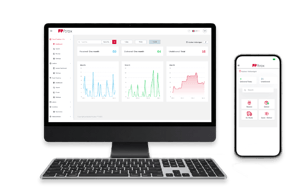
Stop logging parcels in sheets.
Understand FP Trax in less than 30 minutes.
SERVICE VIDEO
Showcase your awesome service with quality video content.
Lorem ipsum dolor sit amet, consetetur sadipscing elitr, sed diam nonumy
27K | 1.2MIO |
| Lorem ipsum dolor sit amet, consetetur sadipscing elitr, sed diam sit amet, consetetur elitr. | Lorem ipsum dolor sit amet, consetetur sadipscing elitr, sed diam sit amet, consetetur elitr. |
Inventory management software for universities, warehouses, facilities and operations teams
The fundamental problem with unmanaged stock is not that items go missing. It is that no one has the information to notice. A university supply room serving ten faculties has no record of which department drew which chemicals last month. A central warehouse resupplying a fleet of service vehicles or field teams has no consumption history per unit. A facilities team ordering spare parts does not know whether the same parts are already sitting in storage on another floor. The costs accumulate invisibly because the record does not exist.
FP Trax creates that record at the point of withdrawal. Every time someone takes stock, they scan the bin and enter the quantity. FP Trax timestamps the transaction, records the person and links it to a department or cost centre. The live count on screen reflects what is physically on the shelf. There is no discrepancy between the system and the storage room because every movement updates both at the same moment.
The departmental cost allocation capability changes the economics of shared stock management. In most organisations, stock costs are absorbed at the facility or central level because there is no practical way to attribute consumption to individual departments. FP Trax makes attribution automatic. At the end of any period, a consumption report shows exactly what each department withdrew and what the total cost was. For universities with internal billing between faculties, for manufacturers allocating material costs to production jobs, or for facilities teams splitting maintenance costs across business units, this is the record that makes fair allocation possible.
Restock alerts replace the reactive cycle of ordering after a stockout. FP Trax monitors every item against the minimum threshold you set and sends an alert to the procurement contact when the level is reached. The alert includes the item, current quantity, storage location and supplier reference if configured. The person responsible acts before the shelf is empty rather than after a researcher, technician or production line manager calls to say they cannot continue. For organisations with long lead times on specialist items, this shift from reactive to proactive purchasing has a direct operational impact.
For organisations with mobile work units, FP Trax tracks consumption per unit rather than per location. A field service team or crew that draws materials from a central store before heading out has its own consumption record in FP Trax. Over a month or a quarter, the operations manager sees exactly what each team or vehicle used, can compare patterns across the fleet and plan resupply based on actual usage rather than estimates. For organisations running service vehicles, mobile crews or teams across multiple sites, this removes the guesswork from procurement.
Audit compliance is a direct output of normal FP Trax operation. Every withdrawal is logged with a timestamp, a person and a quantity. Every incoming delivery is recorded. At any point the system can produce a full movement history for any item, any location or any time period. When a physical stock count is required, the FP Trax record provides the expected quantities before the count starts. Discrepancies are visible immediately. The balance sheet reconciliation that previously took days of manual cross referencing takes minutes.
FP Trax inventory management is available as an optional module on any FP Trax parcel tracking plan, or as a standalone system. It is used by universities, research institutions, manufacturers, healthcare facilities and facility management teams across Europe to track stock levels, attribute consumption costs and maintain audit ready withdrawal records. Setup requires no complex IT infrastructure. Import your existing stock register on day one and the system is live.